Triggers & alerts.
Set a threshold on any reading and get told the moment it is crossed, sent to the person who can act.
1 · What it is for
Triggers are how the platform tells you something needs attention without anyone watching a screen. For any sensor you set the condition that matters, and the moment a reading meets it, the person who can act gets a message. It is the notifying layer alongside the dashboards, which do the trend and compliance view.
2 · On the page
2.1 · Set the condition
For an instantaneous sensor, set an upper limit, a lower limit, or both; a rate-of-change condition catches a fast move before the reading even leaves the band. For a state sensor, trigger on a change, a door opening or a detector tripping.
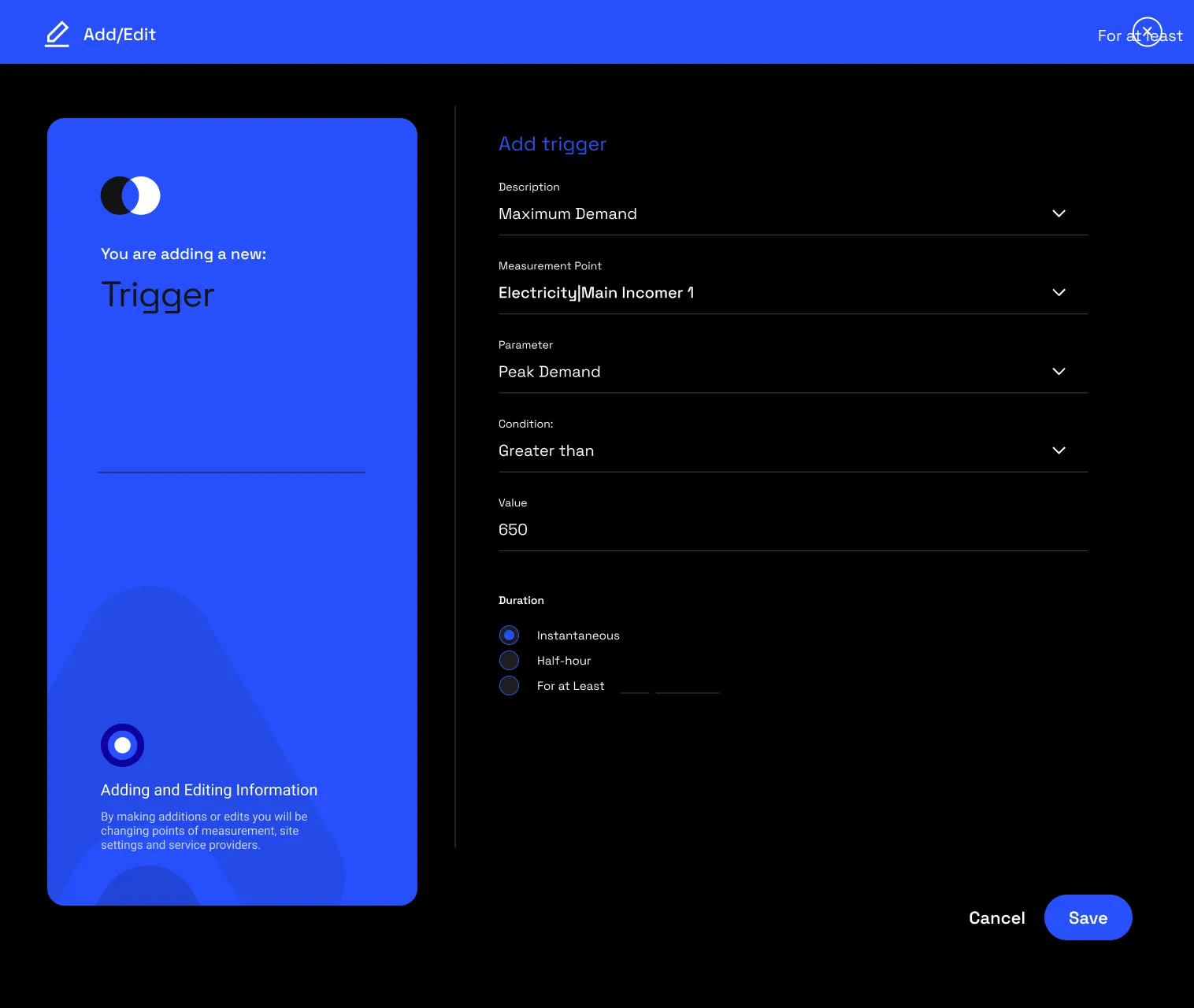
2.2 · Who gets told, and how
Choose the recipients and the channel: WhatsApp, email or SMS. The message names the sensor, the reading and the limit it crossed, so it can be acted on without logging in.
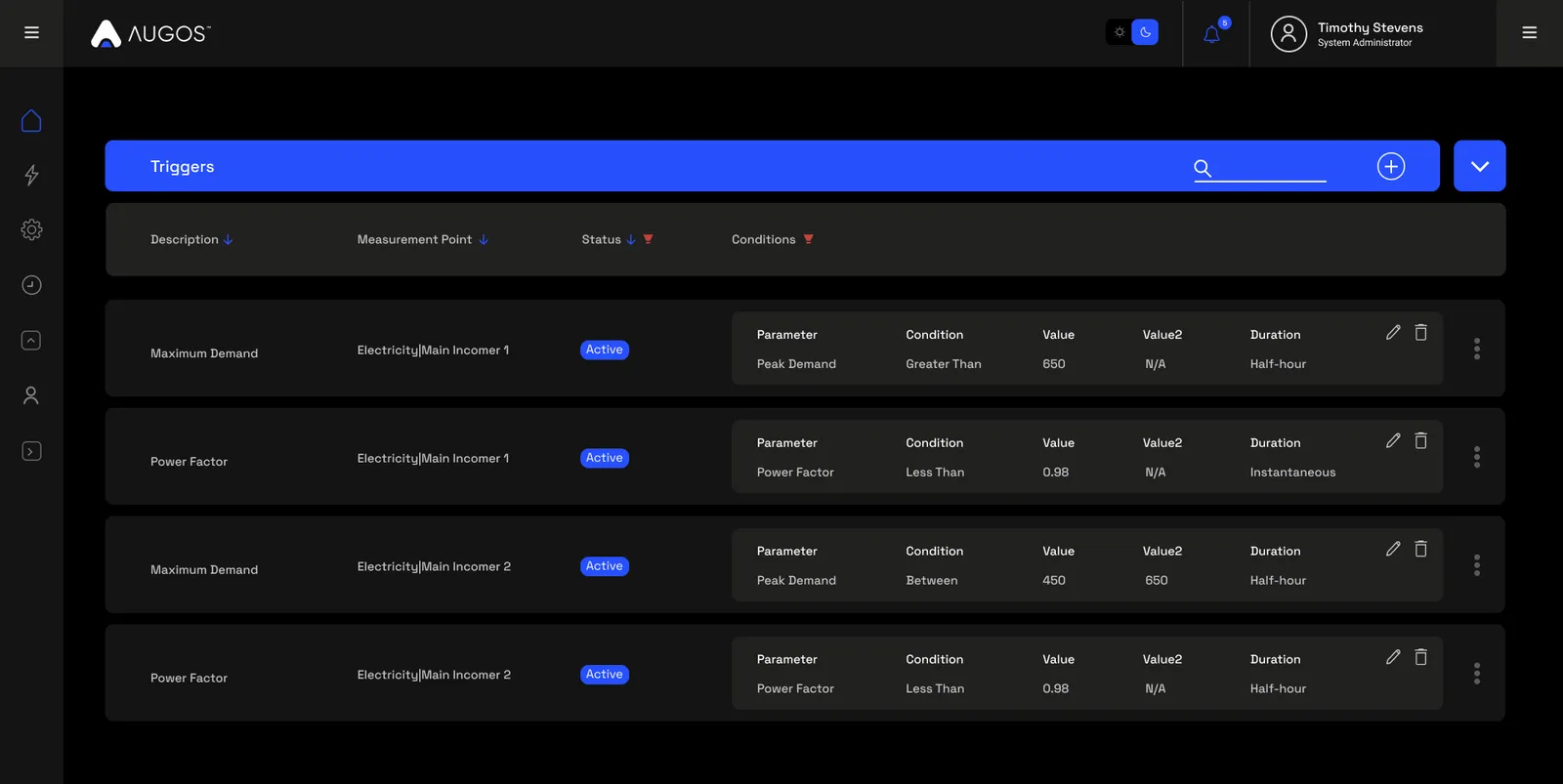
2.3 · Managing triggers
Triggers are set per sensor, and reached from the sensor’s three-dot menu on the dashboard. The platform also raises alerts on hardware communication failures, so a sensor going quiet does not pass unnoticed.
3 · Use cases
- Cold-chain breach. Tell the duty manager the moment a store climbs above 8°C.
- Low tank. Warn before a tank or reservoir runs down past a safe level.
- Door left open. Alert when a cold-room or secure door stays open.
- Heat stress. Call a stop when wet-bulb or temperature climbs for people working.
- Sensor offline. Know when a sensor stops reporting, before you rely on stale data.
4 · Good to know
Triggers notify; the dashboards analyse. A rate-of-change condition catches a fast move before a hard limit would, and a sensor going quiet is itself an alert. Recipients and channels are yours to set, and, like everything else, triggers are scoped to the points a person can access.
Common questions
What conditions can I set?
Upper limit, lower limit, both, or a rate of change for a value sensor; a state change for a state sensor.
How am I told?
On WhatsApp, email or SMS, to the recipients you choose, with the sensor, the reading and the limit in the message.
Can several people be alerted?
Yes. Set as many recipients as the situation needs.
What if a sensor stops reporting?
The platform raises a communication-failure alert, so a quiet sensor does not go unnoticed.