Job Card
The single-run report: everything that happened on one production run, its OEE and losses, from start to finish, bounded by the job rather than the 24-hour clock.
1 · The purpose of this report
It captures one run in full, output against target, its downtime, and the speed triad: Actual vs True vs Rated speed compliance, which separates a line that ran slow from one that stopped. That's the distinction that tells you whether to chase throttling or downtime.
2 · On the page
Top to bottom: the controls, then the run's speed, its output, the variance around it, and the stops within it.
2.1 · Selectors
| Control | What it does |
|---|---|
| Point selector | Choose the line the run happened on. |
| Run / job selector | Pick a single production run by its reference number and product code; the report is bounded by the job, not the clock. |
2.2 · The speed triad
Actual, true and rated speed compliance, so output lost to running under rate is split from output lost to stops, which tells you whether to chase throttling or downtime.
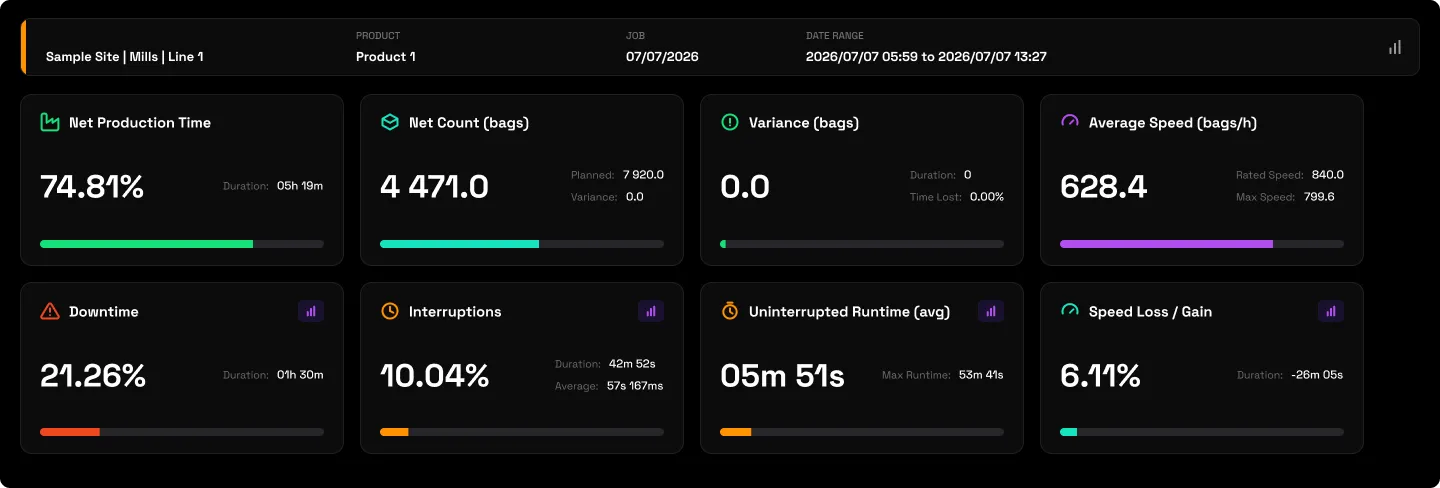
2.3 · Output adherence
Actual output against planned for the run.
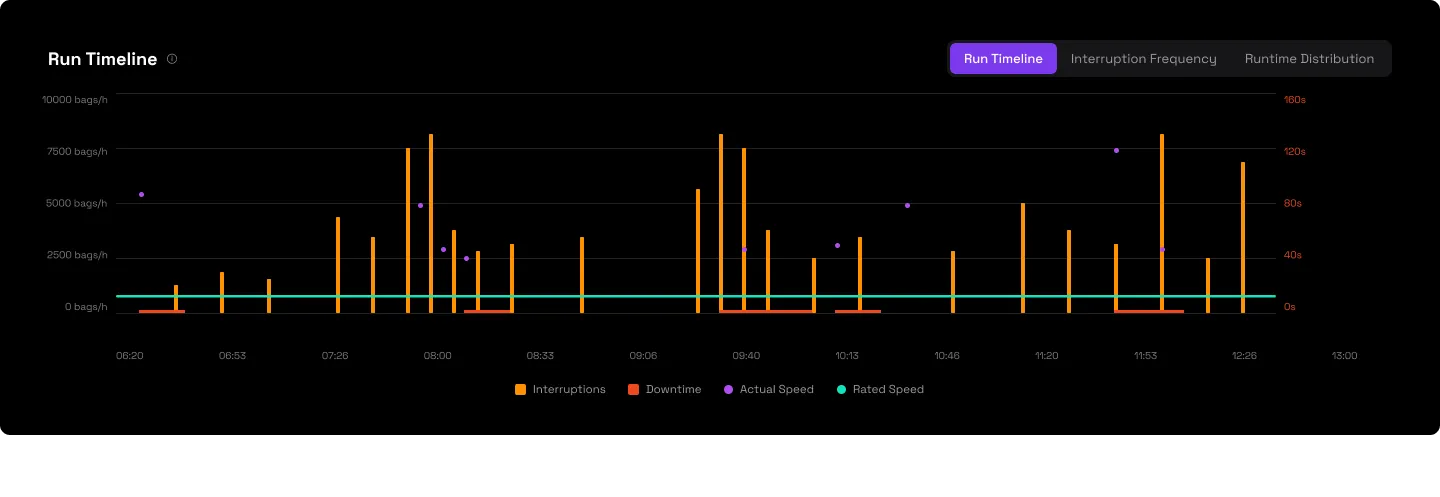
2.4 · Setup, teardown and changeover
The time surrounding the production run: setup before production starts, and teardown after it ends.
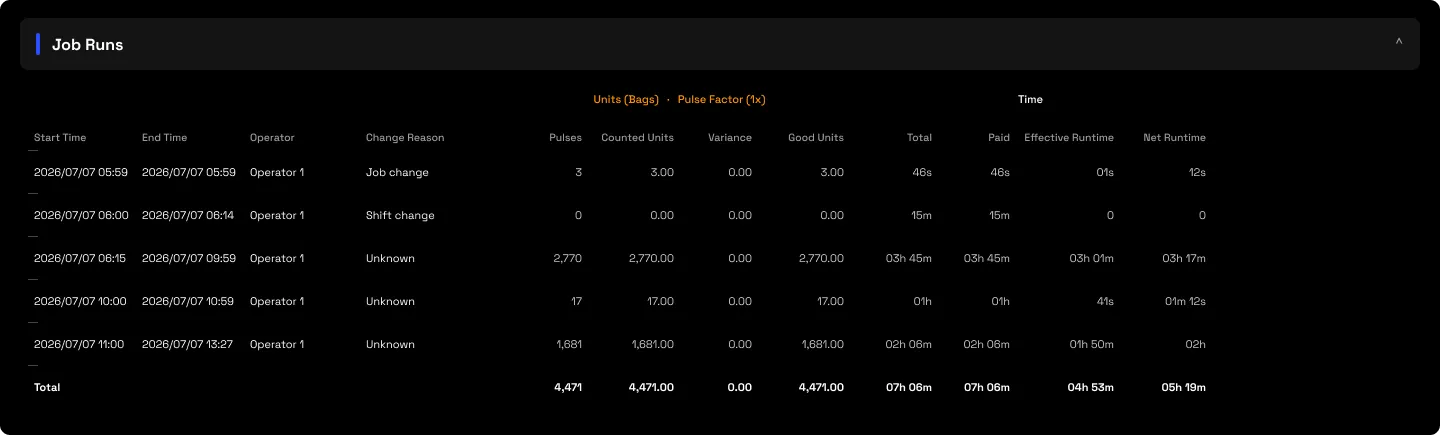
2.5 · The in-run downtime ledger
The stops that happened within the job, with their reason codes.
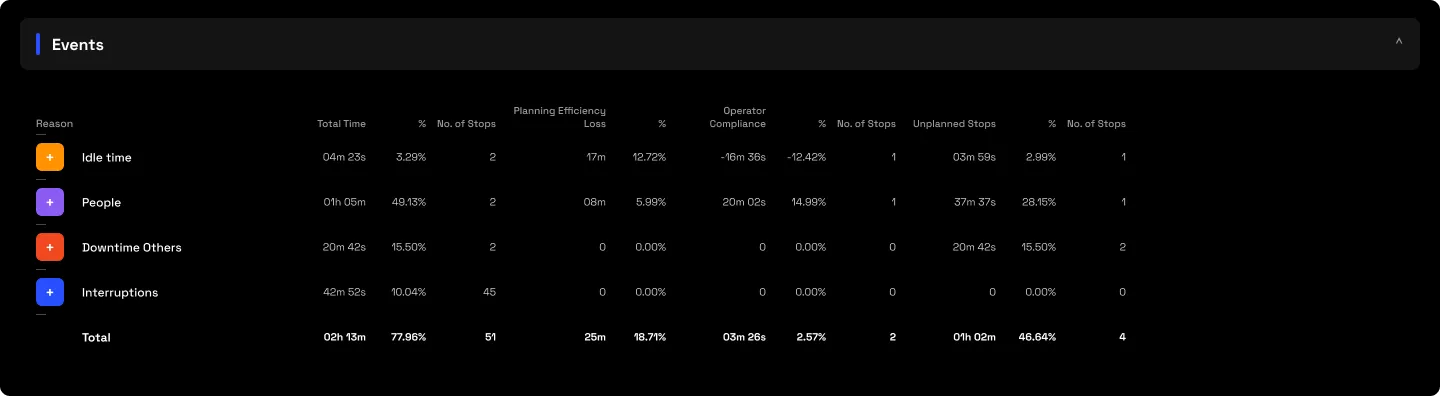
3 · Use cases
- Fix the right thing. If a run missed target, the triad says whether it idled under rate or actually went down.
- Cost a specific batch. Tie output and losses to a reference number and product code from your MES or ERP.
4 · Good to know
The granular stage decomposition of individual faults needs Augos Assist, an optional extra; the base job card shows total duration and reason codes. A run needs a reference number and product code for context.